Posted on
More from News


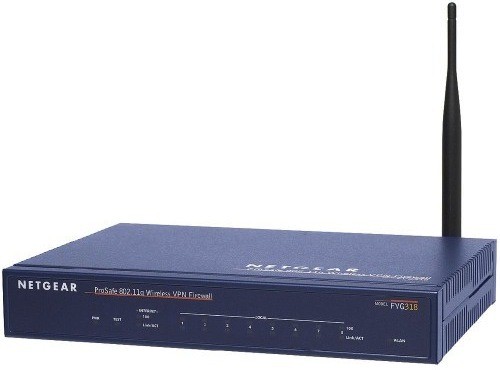
One of the most noticeable trends to have taken hold of internet connectivity over the last few years, both in the office and in the home, is the greater emphasis being placed on the power of wireless.
Wireless connectivity is now expected in almost any urban situation, particularly in the workplace, which is understandably reluctant to offer an environment that is overly crowded with wires and hardware.
However, setting up a wireless network is not always easy. There are plenty of pitfalls when setting up a business-grade network.
Never mix consumer and business grades
The first port of call in setting up your network is to ensure you have the right hardware. There may be a temptation for businesses, particularly the smaller ones, to opt for the same products used by consumers.
Using the example of access points, many users can sometimes be taken in by what appear to be similar specifications and a disparity between cheaper consumer-based models and those aimed at the business market.
However, to opt for a consumer model leaves businesses running the risk of owning a Wi-Fi access point that is not able to meet its needs.
The confusion between the two is mainly driven by the fact that many of the differences are difficult to quantify. For example, consumer models rarely carry the guarantee of reliability needed for the round-the-clock use of many business users.
Indeed, many of the top consumer models can become overloaded when faced with having to process multiple connections, while many models also lack the capabilities needed in areas such as security, manageability, load management and remote deployment and upgradability.
Business-grade hardware is designed to perform at the highest level 24 hours a day and effortlessly handles the workload that comes from the various simultaneous wireless connections made through employee devices.
Avoid overloading your router
The router is arguably the most important part of the wireless network so it is important to make the right choice. Many businesses make the mistake of simply opting for the router that best suits their current needs, but not looking to the future can cause problems.
The nature of the digital age means businesses can expand faster than ever before, so it is important not to be hindered by hardware that later becomes out of date and unable to meet the increased workload.
It is therefore advisable to try and choose a solution that will suit the future, rather than the present, needs of your business.
While it is tricky to determine how your network will look later down the line, there are experts available to offer their advice on what model is best suited to future-proofing your business.
Always place access points in the right place
It might sound simple and arbitrary, but the physical location of a Wi-Fi access point is crucial to keeping a good level of connectivity.
If you decide to place one in an alcove, beside large metallic fixtures or cupboards, or next to thick concrete beams, the Wi-Fi signal could soon be weakened by "line of sight” barriers.
There are often more obstacles for a signal to contend with when an access point is placed on the floor, so an elevated position is always a better solution.